Overview
ZEN-INTEL is a threat intelligence and attack surface management platform for security analysts. This site is the installation runbook. It takes you from a bare Kubernetes cluster to a running, configured instance, then through first login and a few day-2 basics.
For the product overview, architecture rationale, editions, and commercial terms, see the ZEN-INTEL deployment guide. This runbook focuses only on getting an instance installed and usable.
What you are installing
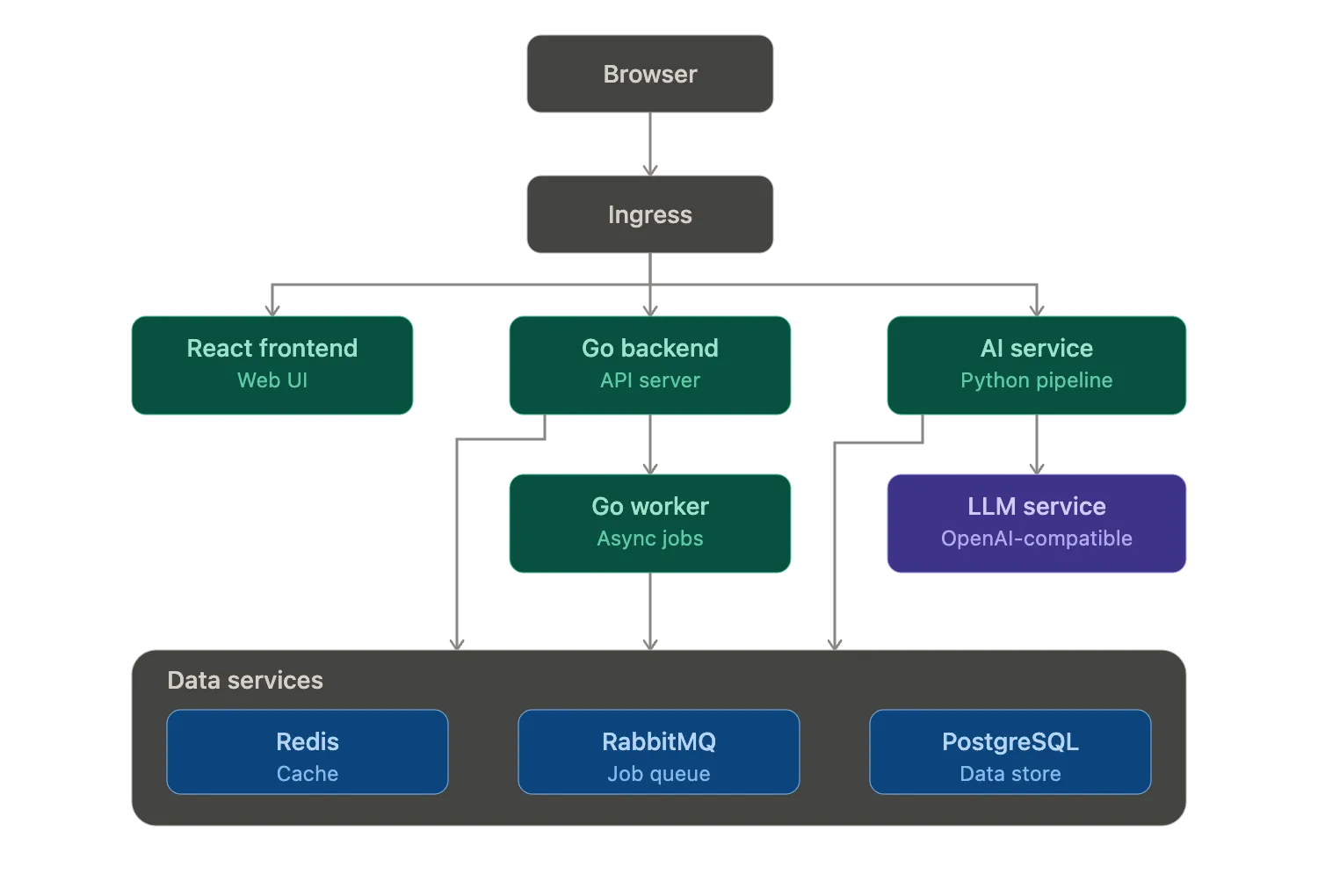
Section titled “What you are installing”ZEN-INTEL ships as containerized application services, deployed together on Kubernetes:
- React frontend: the web UI.
- Go backend: the API server.
- Workers: three background workers built from the backend image (
ai-worker,asm-worker,brand-worker) that process long-running jobs. - Python AI service: the AI pipeline, and the only service that calls the external LLM.
These share a common data tier of PostgreSQL, RabbitMQ, and Redis, all run in-cluster. AI features are reached over an OpenAI-compatible API, using either a hosted model or a self-hosted one.
Who this runbook is for
Section titled “Who this runbook is for”Engineers standing up a ZEN-INTEL instance for an end-customer organization. It assumes working familiarity with Kubernetes and YAML-based configuration.
What this runbook covers
Section titled “What this runbook covers”Work through the sections in order:
- System requirements: confirm your cluster and sizing.
- Installation: Pre-deployment checklist, DNS and TLS, Configuration, Install the platform, then First-run verification.
- Post-installation: Bootstrap the first Super-Admin, Create the first organization, Enable integrations, and Basic hardening.
- Installation troubleshooting: if a step fails.
What this runbook does not cover
Section titled “What this runbook does not cover”Day-to-day analyst usage, such as IOC triage and running analyses, belongs in a separate end-user manual. Broader operations such as monitoring, backup, and upgrades live in the deployment guide.
Before you begin
Section titled “Before you begin”Start with System requirements to confirm your cluster meets the minimum, then work through the Pre-deployment checklist to gather everything you need before install day.